Strategy · New game
Super Advanced Wargame
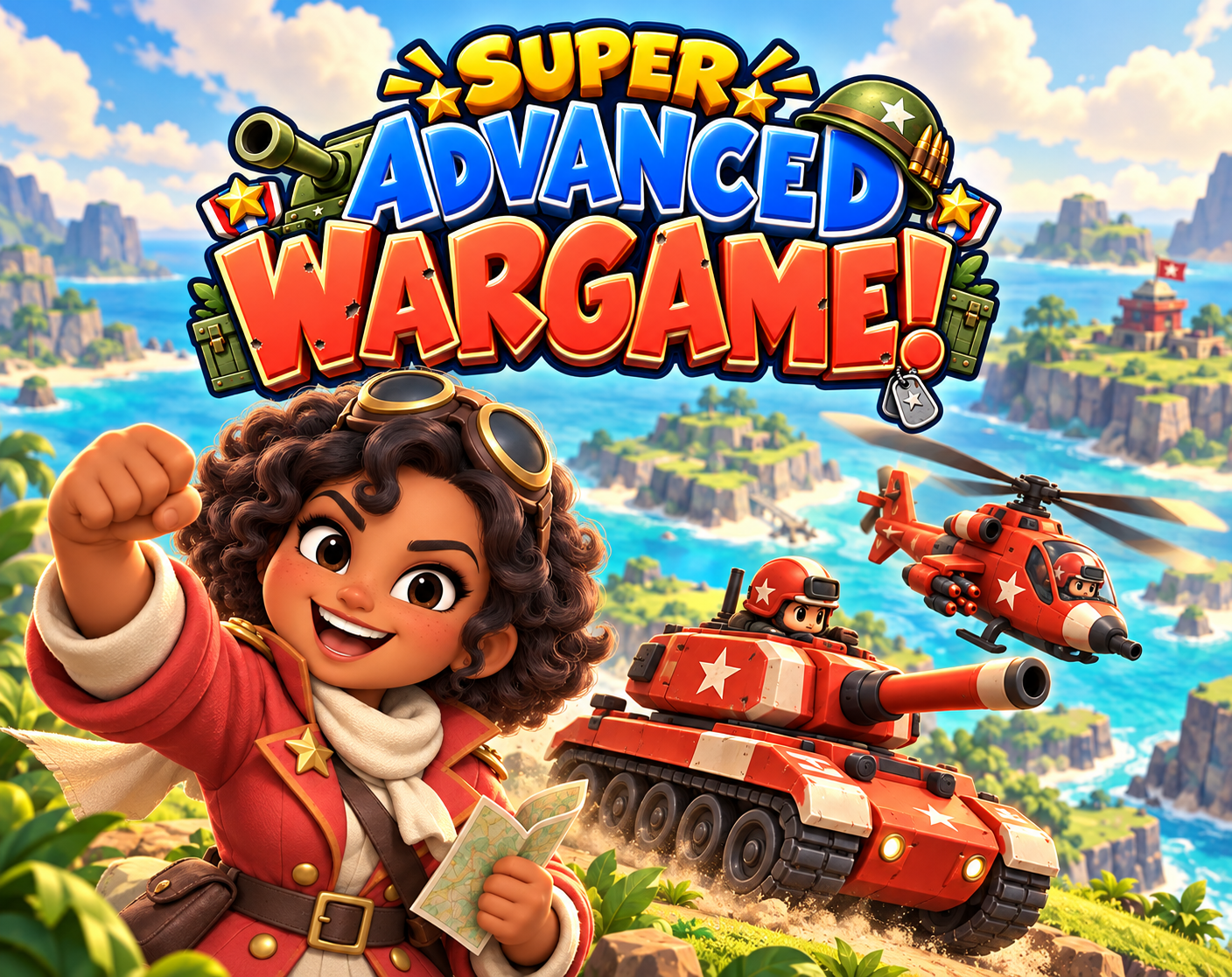
A chibi turn-based tactics game about positioning, combined arms, and capturing cities, built around a 30-mission campaign and flexible skirmish setups.
Playable frame from itch.io. If it does not load, open the game on itch.io.
The short answer
Super Advanced Wargame is a free turn-based tactics game for browser and Windows. Command a chibi army through a 30-mission campaign with Captain Pip Pepper, or set up skirmishes with two or three armies. Capture cities for income, recruit at factories, airports, and ports, and manage ground, supply limits, transport, and counterattacks.
What is Super Advanced Wargame?
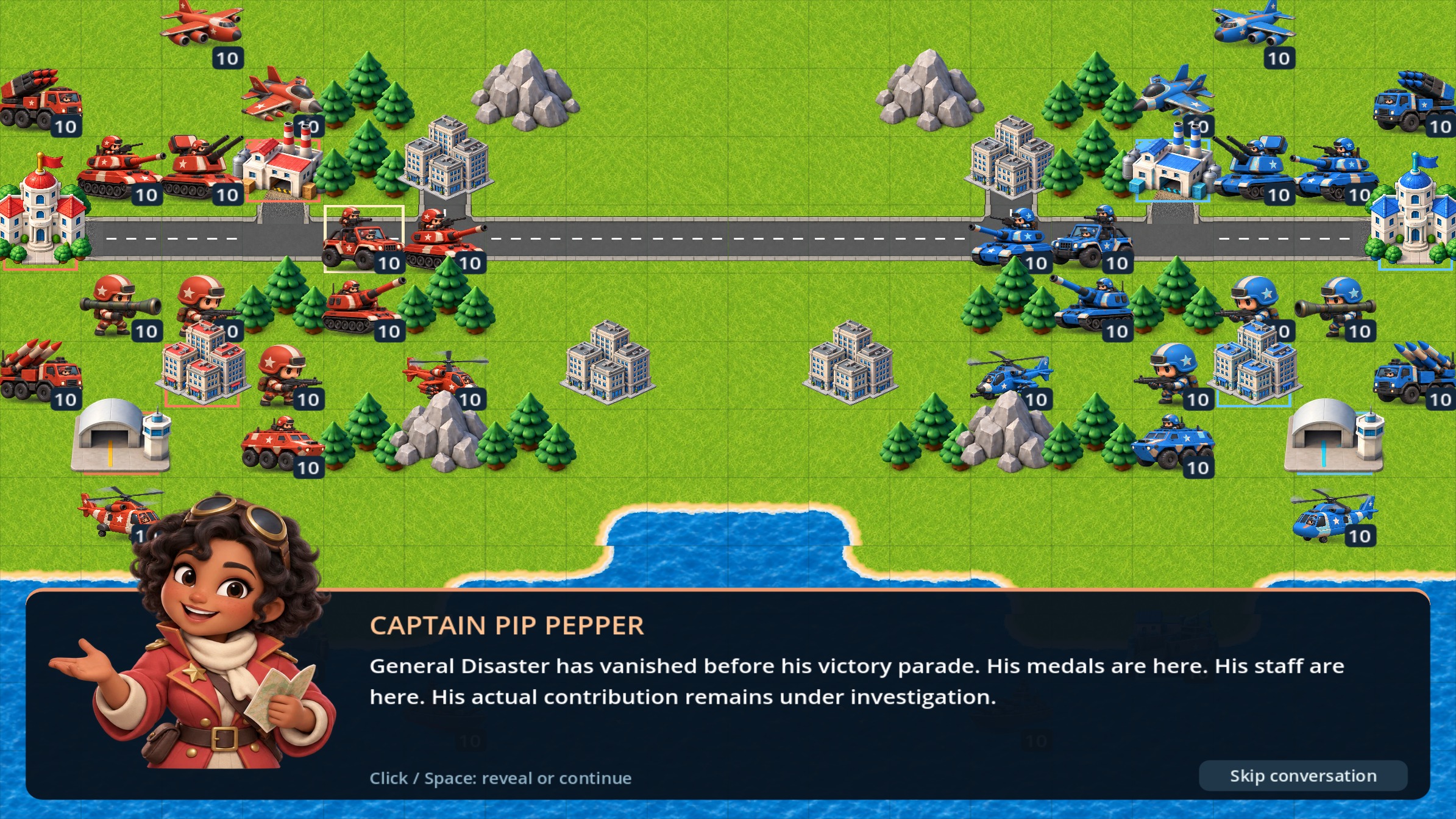
Super Advanced Wargame is a turn-based tactics game from Rexx Thunder, set around a colorful chibi army and a larger-than-life cast. The central campaign follows Captain Pip Pepper through 30 missions after General Disaster vanishes before his victory parade, turning a planned celebration into a more complicated military problem. Each mission is meant to introduce new units and shift the shape of the battlefield, so the campaign doubles as a slow build from basic command decisions to more varied encounters.
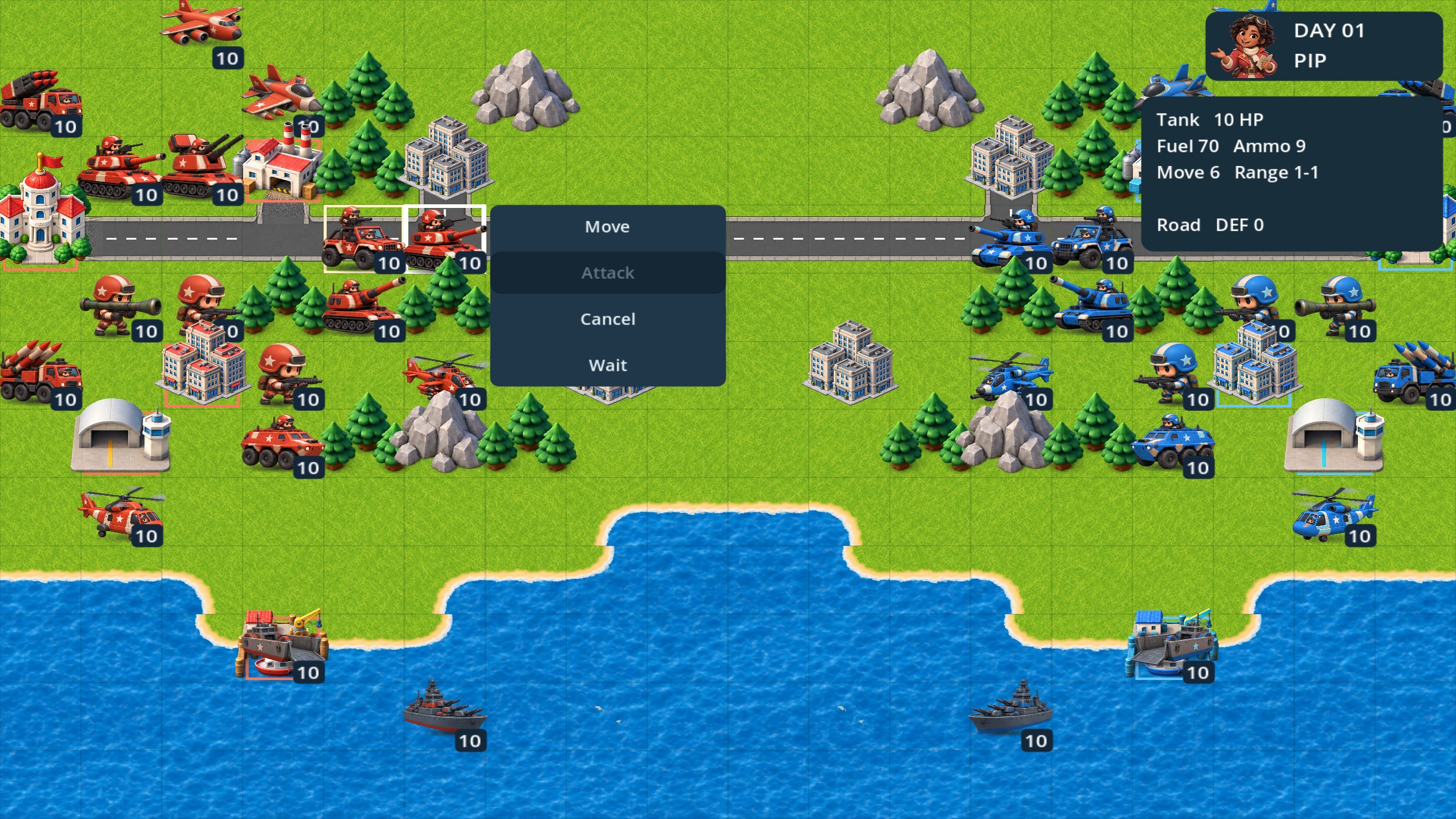
The battlefield runs on combined arms. Sixteen unit types range from foot soldiers and armored vehicles to artillery, aircraft, and naval forces, and success depends on positioning them together rather than treating any one piece as a solo answer. Cities generate income, while factories, airports, and ports serve as recruitment points for reinforcements. Ground conditions, ammunition and fuel limits, transport choices, resupply decisions, and the threat of counterattacks all feed into the same tactical problem. The game also supports customized skirmishes with two or three armies; each side can use its own force strength, the setup can choose starting funds and victory rules, and the weather can change.
It is free, playable in a browser or through the Windows edition, and currently in active development. The campaign is built around a story and a steady introduction of new units, but the skirmish options give the same system room for shorter, self-contained battles.
How to play
The core loop starts with selecting a unit, moving it, and choosing whether to attack, capture, recruit, or end the turn. Cities produce income, and recruitment happens at factories, airports, and ports, so holding and using the right locations is part of the battle plan rather than a side task. The roster mixes foot troops, armored vehicles, artillery, aircraft, and naval units, and the campaign introduces those pieces over 30 missions.
Combined arms is the organizing idea. Position units to support one another, account for terrain, and keep an eye on ammunition and fuel before committing to a long push. Transports and resupply help sustain movement, while counterattacks punish careless exposure. The campaign follows Captain Pip Pepper and the story around General Disaster after he disappears before his victory parade, using each mission to add units and more varied battlefields.
Skirmishes sit alongside the campaign. A skirmish can include two or three armies. Each side can have its own force strength, the setup can set starting funds and victory rules, and the weather can change. That makes the setup useful for testing a small engagement or building a different kind of fight from the campaign's story missions. Campaign progress stays on the local device, and a browser save is tied to that browser and the site's stored data.
Controls
Mouse controls cover the main actions: click to select a unit or choose an action, then move, attack, capture, recruit, or end the turn. Right-click or Escape goes back or cancels. On larger maps, the mouse wheel or a middle-button drag pans the view. Space reveals or advances dialogue. The fullscreen button provides the clearest battlefield view.
Keyboard and controller navigation are also supported. In menus, arrows plus Enter work for keyboard users, and a controller can handle navigation as well. The control scheme is built around a small set of direct inputs rather than a long command list, which fits a turn-based tactics game where the important decisions happen before the next action.
Browser play is available, and a Windows edition is offered. The controls described here apply to selecting units, moving, attacking, capturing, recruiting, and ending a turn, with dialogue and map navigation handled separately. The fullscreen option is worth using on a browser session because it gives the battlefield more room.
| Input | Action |
|---|---|
| Click | Select a unit or choose an action |
| Right-click / Escape | Go back or cancel |
| Mouse wheel / middle-button drag | Pan larger maps |
| Space | Reveal or advance dialogue |
| Arrows + Enter | Navigate menus |
| Controller | Navigate menus |
| Fullscreen button | Use the clearest battlefield view |
Tips for your first run
Start with the campaign if the goal is to learn the roster. The 30-mission structure introduces new units over time, so the early battles are the place to get comfortable with movement, capture, and the difference between a safe engagement and an exposed one. Keep the first skirmish simple as well: two armies, modest starting funds, and straightforward victory rules make it easier to see how income and recruitment shape a fight.
Watch the support systems. Ammunition and fuel can stop an advance even when a unit is healthy, and transports and resupply are part of keeping pressure on the map. Cities are income, while factories, airports, and ports are recruitment points, so a capture that looks minor can change what can be fielded next turn. Counterattacks are a reason to check positioning before attacking.
Use the interface deliberately. Pan larger maps with the mouse wheel or middle-button drag, cancel mistaken actions with right-click or Escape, and use fullscreen for a clearer view. If dialogue appears, Space advances it.
- Take cities for income; recruitment sites include factories, airports, and ports.
- Check ammunition and fuel before a long advance.
- Use transports and resupply to keep units active.
- Expect counterattacks and avoid exposing valuable units.
- Use fullscreen and map panning to read the battlefield.
Content and replayability
The campaign is the main content spine: 30 missions follow Captain Pip Pepper and a large cast after General Disaster disappears before his victory parade. New units arrive as the story moves, and battlefields become more varied. The campaign uses a fixed story frame but leaves room for different tactical solutions through combined arms, positioning, supply, and capture decisions.
Skirmish mode carries the replay value. A skirmish can include two or three armies, and the setup lets each side have its own force strength. Starting funds, victory conditions, and changing weather are all adjustable. Those options change the shape of an engagement without requiring a new campaign mission. The same 16 unit types, from foot troops and armored vehicles through artillery, aircraft, and naval units, are the raw material for those setups.
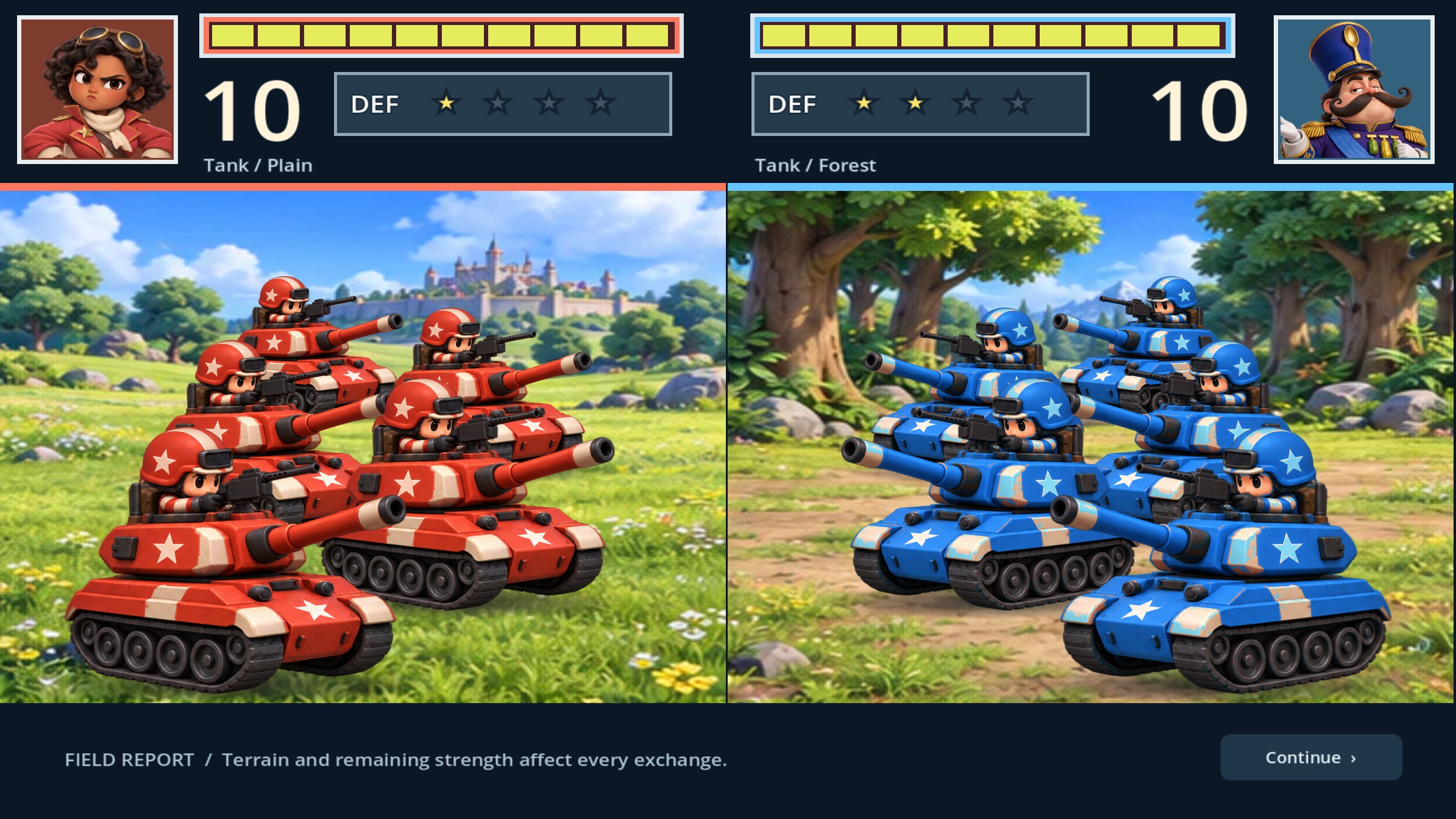
The core content is single-player. Animated battle scenes show red and blue formations clashing, adding a visual payoff to the planning phase. The game is in active development, so the current feature set is the relevant one for a first session.
Presentation and performance
The visual identity is colorful and chibi, with a cast built around Captain Pip Pepper and a larger-than-life group of characters. Armies are presented in red and blue formations, and animated battle scenes show those formations clashing. That gives the turn-based planning a clear visual layer without changing the underlying focus on positioning and combined arms.
The battlefield is designed to be read at a glance, and the fullscreen button provides the clearest view. On larger maps, the mouse wheel or middle-button drag pans the camera, while dialogue advances with Space. The game is available in a browser and as a Windows edition, with mouse, keyboard, and controller navigation supported. The interface uses click, right-click, Escape, arrows, and Enter for direct actions and menu movement.
The presentation leans on animated clashes and a chibi army rather than realistic military art, which matches the game's lighter tone. The 30-mission campaign and skirmish setup give the visuals plenty of repeated use across different battlefields. For a clean first session, use fullscreen and the input method that feels most direct.
Who should play it
Super Advanced Wargame is aimed at players who like turn-based tactics with a clear combined-arms problem. The 16 unit types cover foot troops, armored vehicles, artillery, aircraft, and naval units, so there is room for players who enjoy mixing roles and thinking about ground, supply limits, transport, and the risk of a counterstrike. The 30-mission campaign gives that audience a story frame with Captain Pip Pepper and a large cast, plus a steady introduction of new units.
Players who prefer shorter battles can go straight to skirmishes with two or three armies, separate force strengths, chosen starting funds, adjustable victory rules, and weather that changes. That makes the game a fit for someone who wants to tune a battle rather than follow a fixed mission order. The chibi presentation and animated red-and-blue clashes keep the tone lighter than a serious military simulation.
It is a good choice for browser players and Windows users who want a free tactics game. It is in active development, so the appeal depends on interest in a game that is still being built. The core content is single-player.
Screenshots
From the developer
Tiny armies. Big decisions. Take command of a colorful chibi army in Super Advanced Wargame, a turn-based tactics game about clever positioning, combined arms, and capturing the battlefield. Lead the campaign Join Captain Pip Pepper and a larger-than-life cast in a 30-mission campaign. General Disaster has vanished before his victory parade, and the situation is about to get complicated. Follow the story, learn new units, and take on increasingly varied battlefields. Build your battle plan 16 unit types spanning infantry, armor, artillery, aircraft, and naval forces.Capture cities for income and recruit reinforcements at factories, airports, and ports.Use terrain, ammunition, fuel, transports, resupply, and counterattacks to your advantage.Customize skirmishes with two or three armies, independent force strengths, starting funds, victory rules, and changing weather.Watch red and blue formations clash in animated battle scenes. Play…
Read the full description on itch.io →Frequently asked questions
Is Super Advanced Wargame free?
Yes. The game is free, and it is playable in a browser or through the Windows edition.
What platforms are supported?
The game runs in a browser and has a Windows edition. Mouse, keyboard, and controller navigation are supported.
How long is the campaign?
The campaign contains 30 missions and follows Captain Pip Pepper after General Disaster vanishes before his victory parade.
Can battles be customized?
Yes. Skirmishes can use two or three armies, with separate force strengths, chosen starting funds, adjustable victory rules, and changing weather.
What units are included?
There are 16 unit types across foot troops, armored vehicles, artillery, aircraft, and naval units.
How does saving work?
Campaign progress stays on the local device. A browser save is tied to that browser and the site's stored data.
Something wrong or missing? Tell us.