Platformer · New game
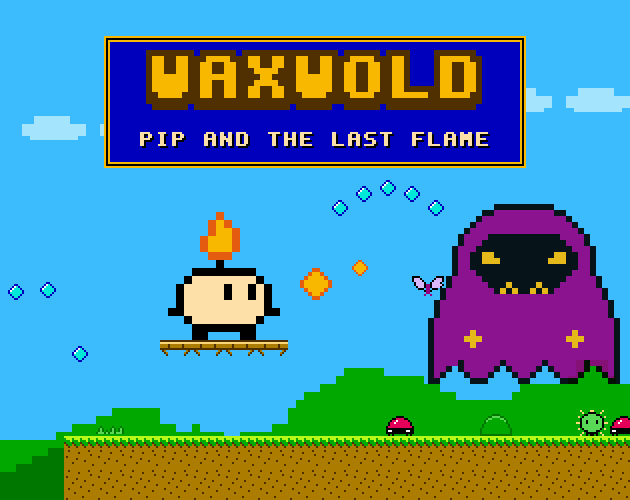
WAXWOLD - Pip and the Last Flame
A free browser platformer about the last lit candle in a darkening land, built on three hand-crafted stages and an unusually precise jump.
Playable frame from itch.io. If it does not load, open the game on itch.io.
The short answer
WAXWOLD - Pip and the Last Flame is a short, free HTML5 platformer where Pip, the final candle still burning, bounces through three stages to relight the beacons and face the Gloomwarden. Tight jump feel, throwable embers and a ten-to-fifteen-minute run make it easy to start right now.
What is WAXWOLD - Pip and the Last Flame?
The beacons of Waxwold have gone out. The Gloomwarden snuffed every one of them, and the land of living candles is sliding into darkness. Pip is the last small candle still carrying a flame, and the climb up the Gloom Spire to confront the Gloomwarden falls to that single surviving light.
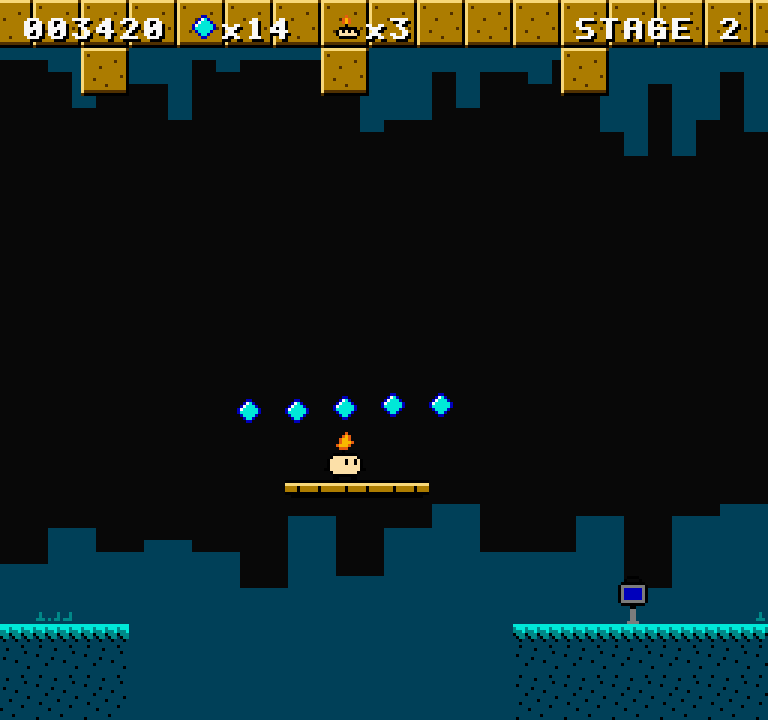
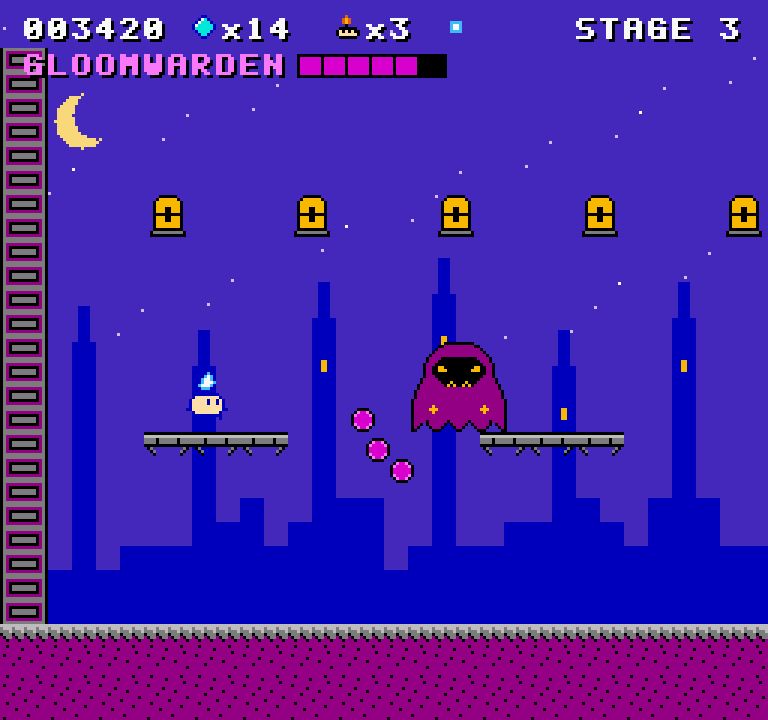
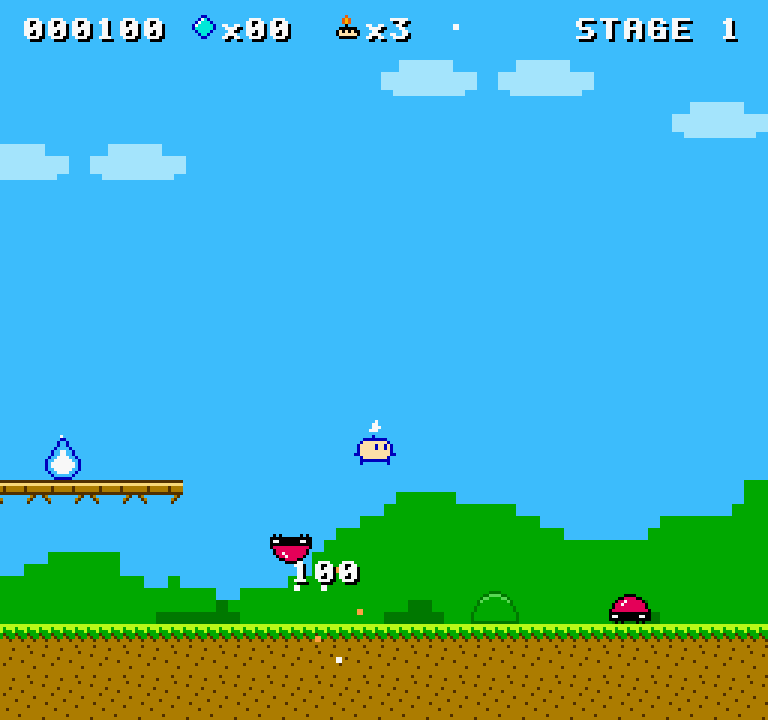
The route runs through three hand-built stages: Candlewood first, then Waxwork Caverns, and finally Gloom Spire itself, with a boss encounter waiting at the summit. Each one mixes platforming with a small roster of enemies and a set of hazards, and lanterns along the way act as checkpoints so a bad jump does not send Pip back to the start.
It is a browser game in the HTML5 sense: a playable frame sits on the page, nothing gets installed, and the whole thing lives in a single folder that works without a connection. A first full run is short by design, landing somewhere around ten to fifteen minutes depending on how often the pits win.
How to play
Pip moves with weight. There is acceleration on the ground and a skid when direction changes, so turning costs a moment rather than happening instantly. Jumps are variable, rising higher the longer the button is held. Two forgiveness systems soften the edges: a brief grace window after running off a ledge still counts as a jump, and a jump pressed just before landing is remembered and fires on contact.
Combat offers two answers. Landing on a foe stomps it, and a thrown ember handles anything better left untouched. Some enemies demand the second approach, since Thistleburrs hop about covered in spikes and cannot be stomped at all. Waxbeetles patrol the ground, and the smarter ones turn at a ledge instead of walking off it, while Mothwings drift through the air on a sine path.
A Flame Core changes the calculation. It swaps Pip's embers for bouncing blue ones and absorbs one extra hit, which makes it a useful buffer before the Spire climb. Spark gems are the other pickup worth chasing: they accumulate, and every fifty of them hands over an extra life.
Controls
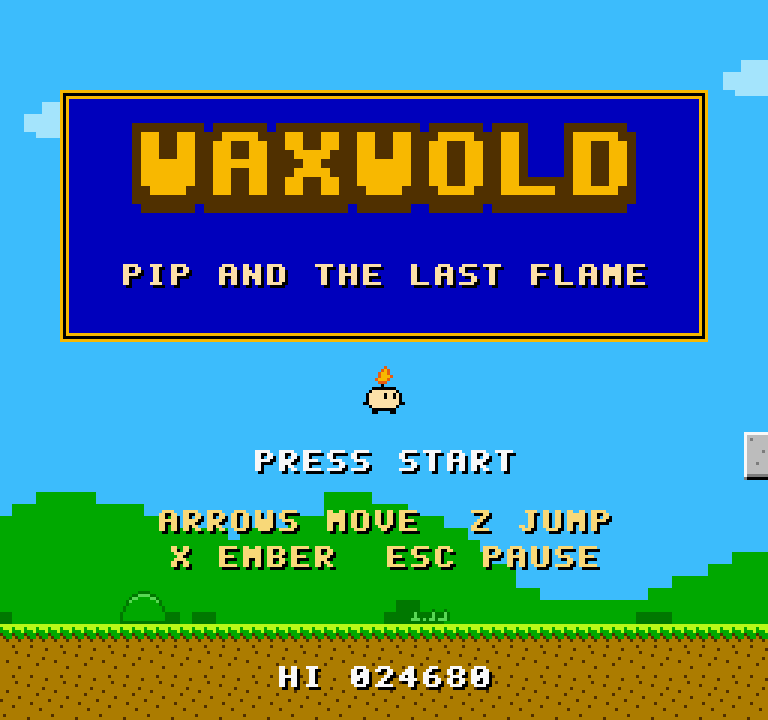
Keyboard play is straightforward. Arrow keys or A and D move Pip left and right; Z, Space, Up or W jumps, and holding any of those stretches the jump height. X or J throws an ember. Esc or P pauses, and Enter does the same during play. Menus are navigated with up and down plus Z or Enter, M mutes the audio, and F toggles fullscreen.
A standard-mapping gamepad works too: d-pad or left stick to move, A or Y to jump, B or X to throw, Start to pause.
On a phone or tablet the game draws its own touch overlay, with left and right buttons on one side, an up control and an A button for jumping, a B button for embers, and pause, mute and fullscreen buttons in the top right corner. Multi-touch is supported, so holding right while pressing A produces a running jump rather than a standing one. Menu items respond to taps, and landscape orientation is recommended for the 256x240 playfield.
| Input | Action |
|---|---|
| Arrow keys or A / D | Move Pip left and right |
| Z / Space / Up / W | Jump, held longer for a higher jump |
| X / J | Throw an ember |
| Esc / P (Enter during play) | Pause |
| Up / Down plus Z or Enter | Navigate menus |
| M | Mute audio |
| F | Toggle fullscreen |
| Gamepad (standard mapping) | D-pad or left stick to move, A or Y to jump, B or X to throw, Start to pause |
| Touch overlay | Left and right buttons to move, up and A to jump, B for embers, plus pause, mute and fullscreen in the top right |
Tips for your first run
Learn the jump before worrying about enemies. Because height depends on how long the button is held, a tap produces the short hop that clears thorns while a full press handles wider gaps, and the ledge grace window plus jump buffering mean an early press still gets the jump that was intended. Embers are a tool rather than decoration, so build a rhythm of throw-then-move before the spiky residents show up.
- Grab a Flame Core before a hard stretch; the extra hit and the bouncing blue embers both buy time.
- Collect spark gems steadily, since fifty of them converts into an extra life.
- Treat a checkpoint lantern as a cue to slow down rather than sprint past it.
- Watch moving platforms before committing to a jump over a bottomless pit.
- Save embers for Thistleburrs and stomp everything else.
- Expect Waxbeetles to stop at ledges instead of walking into pits, and deal with them directly.
Content and replayability
Three stages plus a boss is the full extent of the campaign, and a clean first pass runs ten to fifteen minutes. That is the shape of the thing: short, dense and built to be replayed rather than padded out.
Replay value sits in a few specific places. Spark gems accumulate toward extra lives, so a run that chases them plays very differently from one that rushes the exit. The victory screen reports both time and stats, which gives speedrunners something concrete to chase across a fixed three-stage route with one boss at the end.
The audio rewards a second listen as well. Five tracks cover the title screen, each of the three stages and the Gloomwarden fight, all synthesized in the browser through pulse, triangle and noise channels rather than streamed as files. A hi-score and the mute setting are saved between sessions, and the game runs without external requests, which makes a quick attempt easy to slot into a spare quarter of an hour.
Presentation and performance
The visual target is a NES console, and the game holds to it rigidly: a 256x240 resolution, a restricted palette in that idiom, and nearest-neighbour scaling so pixels stay square instead of smearing on a modern display. The pixel art is drawn in code rather than loaded as image files, which keeps the look consistent from Candlewood's opening screen through to the Spire.
Sound is synthesized live with WebAudio. The chiptune score uses pulse, triangle and noise channels, the same building blocks an 8-bit machine had, and the five tracks cover the title, the three stages and the boss. Everything is generated at runtime, so nothing is fetched or decoded from disk before the music starts.
Performance follows from that lightweight structure. The game is a single HTML5 folder, makes no external requests, ships no trackers and works offline. Loading is effectively immediate because there is nothing to download, and there are no installs or network calls between the player and the first jump.
Who should play it
Anyone with a soft spot for NES-era platformers is the obvious audience: the resolution, the palette and the chiptune score all point at that memory. The jump feel is the real draw, though. Acceleration, skid-turns, variable height and two forgiveness systems put it closer to a precision platformer than to a loose retro pastiche, and a ten-to-fifteen-minute length means the whole thing can be judged in one sitting.
It also suits players who want something to speedrun. Fixed stages, a boss at the end of a known route, and a victory screen showing time and stats are the pieces a short run needs.
Finally, it is comfortable for people playing in a browser tab or on a phone: the on-screen controls, multi-touch support and landscape recommendation mean a session does not require a keyboard, and the offline single-folder build is handy on a laptop with no connection. Players hunting a long campaign or deep upgrade systems should look elsewhere, because this is a compact, deliberate thing.
Screenshots
From the developer
The Gloomwarden has snuffed out every beacon in Waxwold, and the land of living candles is going dark. You play Pip, the last little candle with a flame left. Bounce through three hand-built stages, relight the lanterns, and climb the Gloom Spire to take on the Gloomwarden. - 3 stages with a final boss: CANDLEWOOD, WAXWORK CAVERNS, and GLOOM SPIRE - Tight, responsive platforming: acceleration and skid-turns, variable jump height, coyote time and jump buffering - Stomp foes, or throw embers. Grab a FLAME CORE to get bouncing blue embers and take one extra hit - Original enemies: Waxbeetles (smart ones turn at ledges), sine-flying Mothwings, spiky hopping Thistleburrs (embers only!), and the Gloomwarden boss - Spark gems (every 50 gives an extra life), checkpoint lanterns, spikes, bottomless pits, moving platforms - Authentic 256x240 resolution with crisp nearest-neighbour scaling, a limited NES-style palette, and pixel art drawn…
Read the full description on itch.io →Frequently asked questions
Is WAXWOLD - Pip and the Last Flame free?
Yes. It costs nothing and there is nothing to download; the game runs in an HTML5 frame on the page from a single folder that works without a connection.
How long does a playthrough take?
A first full run takes roughly ten to fifteen minutes depending on skill, covering three hand-built stages and the Gloomwarden boss fight at the end.
How many stages are there?
Three: Candlewood, Waxwork Caverns and Gloom Spire, with the Gloomwarden waiting at the top of the final climb.
Can it be played on a phone or tablet?
Yes. On-screen touch controls cover movement, jumping and embers, multi-touch supports running jumps, and landscape orientation is recommended.
Does it work with a controller?
A standard-mapping gamepad is supported: d-pad or left stick to move, A or Y to jump, B or X to throw an ember, and Start to pause.
What does a Flame Core do?
It upgrades Pip's thrown embers into bouncing blue ones and absorbs one extra hit, making it a strong pickup before a difficult stretch.
Something wrong or missing? Tell us.